
Shopify ads that look like your store
Written 18 November 2026 from a real run in Subtiblo. Updated when Shopify or Meta change how this works.
The short answer: to advertise a Shopify store you need three things. The ad channel connected in your Shopify admin (Meta's Facebook & Instagram app, TikTok, Google & YouTube). One product and one offer to push. And the ad pictures themselves, in 9:16, 4:5 and 1:1, in your store's colours, fonts and logo. Shopify connects the channels and sends your products over. It doesn't design the ads, and that's the part that eats the evening.
What do you need before you run Shopify ads?
- The channel app. Install the Facebook & Instagram app (by Meta) or the TikTok app from the Shopify App Store and connect your ad account. Your products sync across, so ads can link straight to the product page.
- One product, one message. Pick the product that already sells, or the one on offer. An ad that tries to show the whole shop says nothing.
- Your look, written down. Your two colours, your font and your logo file. Ads that match the store feel trustworthy when people tap through.
- The pictures in three shapes. 9:16 for Stories and Reels, 4:5 for the feed, 1:1 as a safe extra. The full list is on our ad sizes page.
What should a Shopify product ad show?
Four things, in this order:
- A hook people read in a second: the problem or the result, not your shop name.
- The product, big, using your real photo.
- Proof: a real review with the customer's first name, or your star rating. Only real ones.
- The offer and the next step: the price or the discount, and "Shop now".
One idea per ad. Make a few different ideas (the offer, a review, the problem it solves, the product in use) and let the ad platform show more of the one people click.
Catalog ads or designed ads?
Use both. They do different jobs.
| Question | Catalog ads | Designed ads |
|---|---|---|
| What they are | Meta or TikTok builds them from your synced products | Pictures you design: headline, product, proof, offer |
| Best for | Showing people products they already looked at | Reaching new people, launches, sales like Black Friday |
| Your look | Mostly your product photo on its own | Your colours, fonts and logo throughout |
| Effort | Set up once | A new set for every sale or season |
Catalog ads are worth switching on because they're free to set up. Designed ads are where the work is, and where most small shops either spend a whole evening or pay a designer.
How do I make Shopify ads in my store's look?
By hand: open a design tool, set your colours and fonts, place the product photo, write the headline, then rebuild it for every shape. Three shapes for each of four ideas makes twelve designs.
With Subtiblo:
- Paste your store's address. Subtiblo reads your colours, fonts, logo, product photos, reviews and current offer from the store's public pages.
- Pick the ideas. It writes ad ideas for your shop: the offer, a review card, the problem it solves, the product in use.
- Make every size. Each idea comes out in 9:16, 4:5 and 1:1 with the words kept clear of each app's buttons. You can also make carousels and moving versions for Reels and TikTok.
- Download and post. You upload the ads in Meta Ads Manager or TikTok yourself. Subtiblo never touches your Shopify admin or your ad accounts.
Comparing tools? See how we compare with AdCreative.ai and Canva: unlimited downloads, no credits needed.
Example: one product, 30 Black Friday ads
We ran Corvane, a made-up outdoor shop we use for demos, through Subtiblo on a brand-new account, with a Black Friday sale on one parka (£340, now £255). From pasting the address it made 8 ideas, each in 3 sizes, plus a 6-slide carousel: 30 ads, none failed, in about 29 minutes of app time (each step timed from the button press to done, then added up). One honest note: it missed the shop's ink black, so we added that colour by hand.
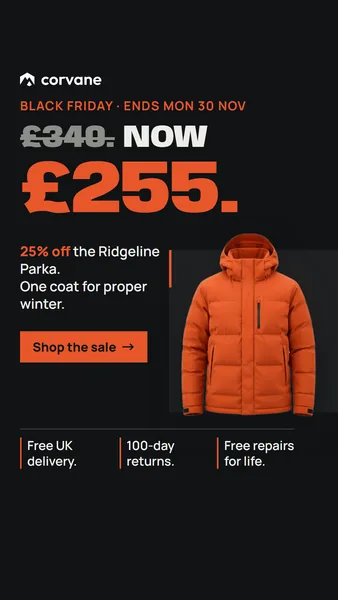
Stories, Reels, TikTok
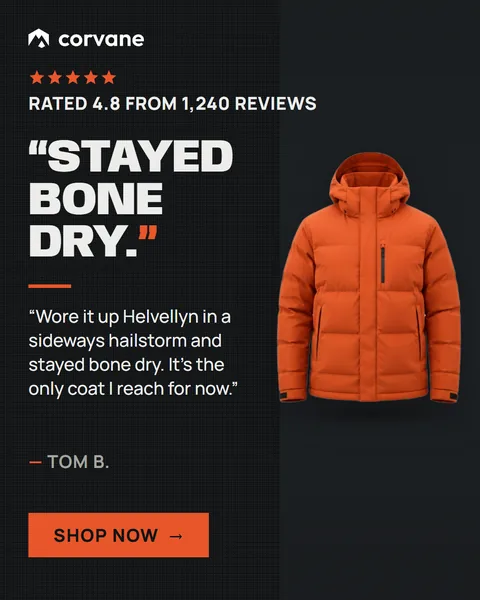
Instagram and Facebook feed
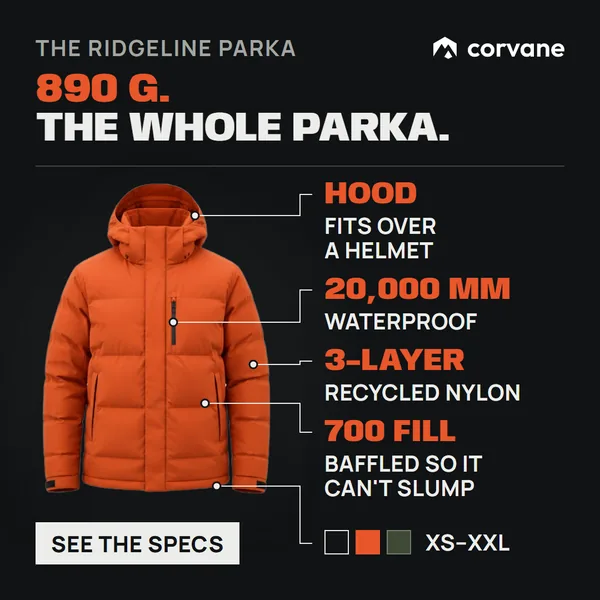
Square posts
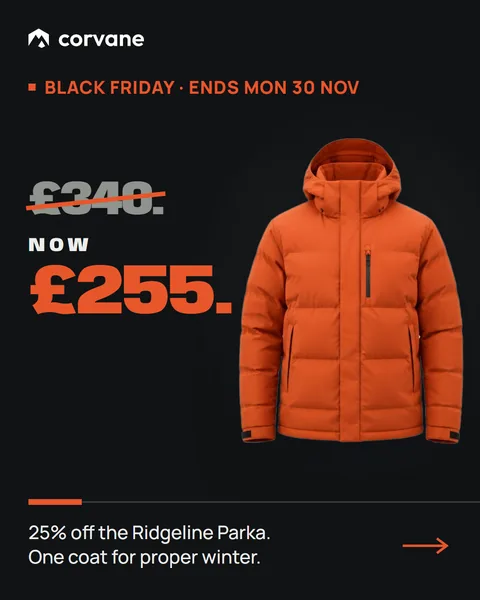
of 6
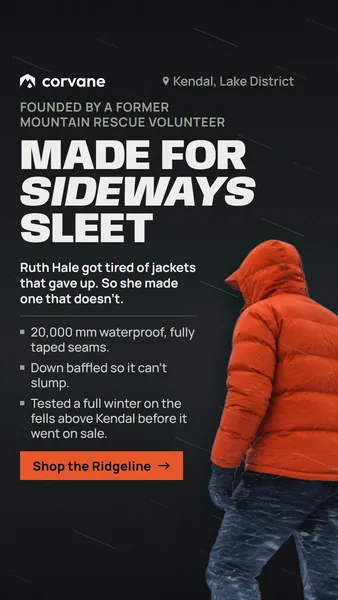
Stories, Reels, TikTok
Black Friday 2026: when should I make my ads?
- Black Friday is Friday 27 November 2026; Cyber Monday is Monday 30 November.
- Make the ads a week early. Meta reviews new ads before they run, usually within 24 hours, and you want time to swap the weak ones.
- Make one set for the sale and one for the last day ("Ends tonight"), so the countdown ad is ready to go.
Paste your store's address and see your own Shopify ads in every size.
Questions
Does Shopify make ads for me?
Shopify's channel apps send your products to Meta, TikTok and Google, which can turn your product photos into catalog ads. Designed ads, such as a Black Friday offer in your store's look, you make yourself or with a tool like Subtiblo.
Does Subtiblo connect to my Shopify store?
No. It reads your store's public pages from the address you paste. It never logs in to your Shopify admin or your ad accounts, and it never posts. You download the ads and upload them.
What size should Shopify ads be?
1080×1920 (9:16) for Stories, Reels and TikTok, 1080×1350 (4:5) for the Instagram and Facebook feed, and 1080×1080 (1:1) as a safe extra. The full list is on our ad sizes page.
Can I use my own product photos?
Yes. Subtiblo uses the photos already on your store, so the product in the ad is the product people get.
How much does it cost?
Package 1 is $19 a month for life for the first 500 early birds, then $39. You also connect your own Claude plan, which does the thinking. No free trial; cancel any time.
Paste your store. Get ads that look like you, in every size.
See the packages