
Add Subtiblo Saver to Chrome
Subtiblo Saver adds a Save to Subtiblo button to Meta's, TikTok's and LinkedIn's Ad Libraries, so your competitors' longest-running ads land in Subtiblo. It takes about two minutes to add.
Download the add-on (.zip, 21 KB)
It's on its way to the Chrome Web Store, where it will be one click. Until then, add it by hand like this.
Unzip it
Find
subtiblo-saver.zipin your Downloads. On Windows, right-click it and choose Extract All…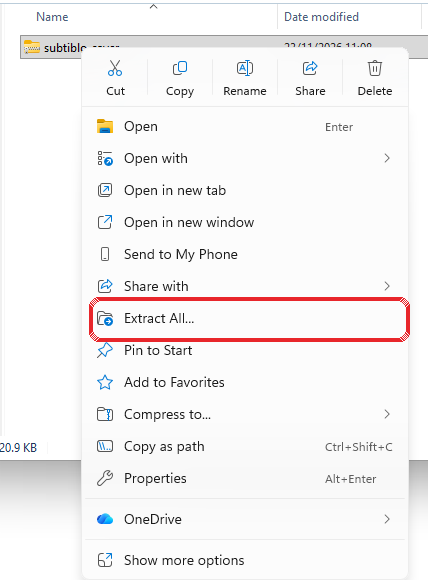
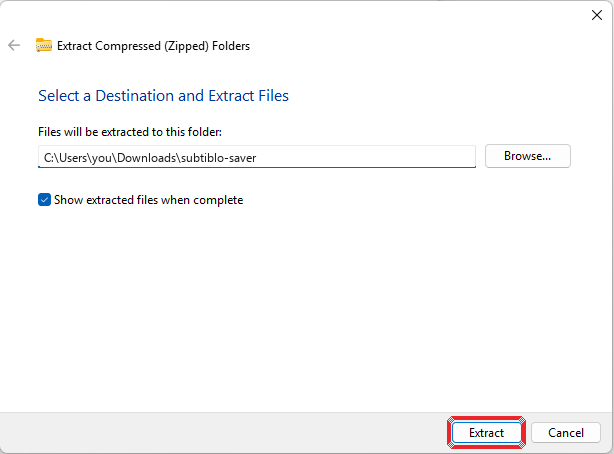
Then click Extract.
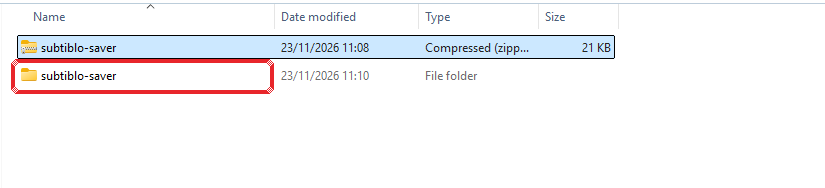
You now have a folder called subtiblo-saver next to the zip. That folder is the one Chrome needs, so leave it where it is. (On a Mac, just double-click the zip.)
Open Chrome's extensions page
Type
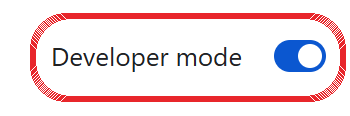
chrome://extensionsin Chrome's address bar and press Enter.Switch on Developer mode
It's at the top right of that page.
Click Load unpacked
Then choose the subtiblo-saver folder you unzipped (not the zip) and click Select Folder.

Not sure it's the right folder? Open it: these files should be inside.
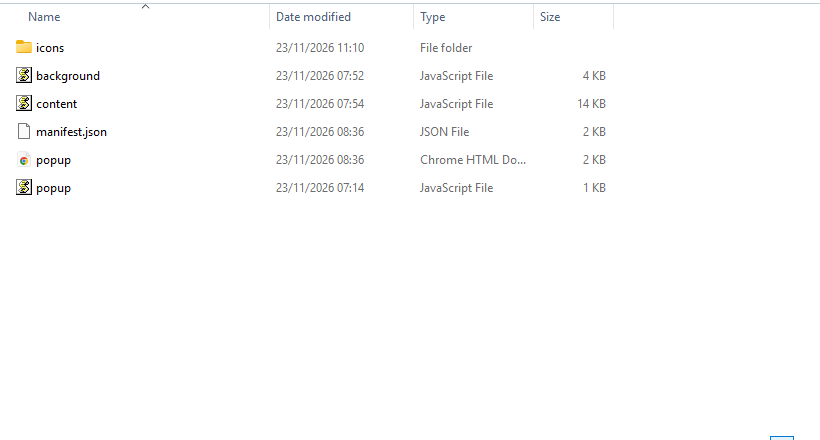
It's in
Subtiblo Saver now shows in your extensions, switched on.
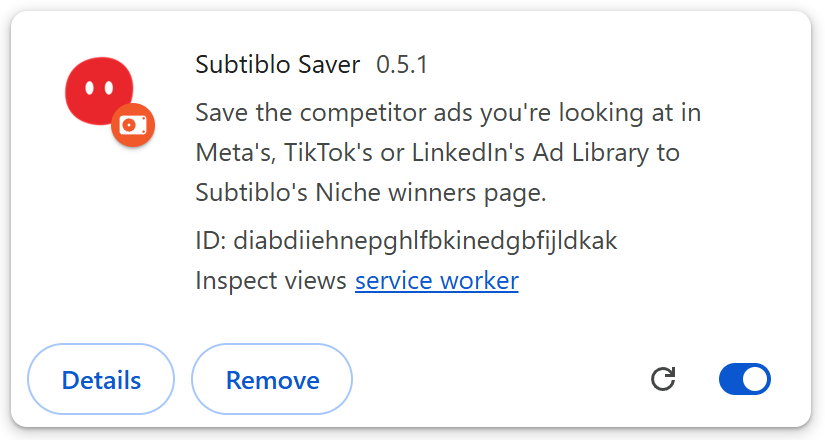
Pin it
Click the jigsaw piece at the top right of Chrome, then the pin next to Subtiblo Saver.
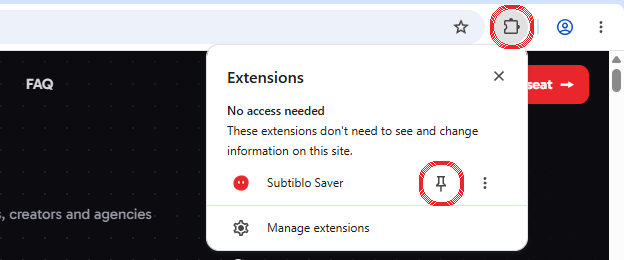
Glim now sits in your toolbar.

Make a free account (or log in)
Go to app.subtiblo.com in the same Chrome and type your email. It's free to start: one competitor, up to 30 of their ads. The add-on uses that log-in to know whose Subtiblo to save to.
Save a competitor's ads
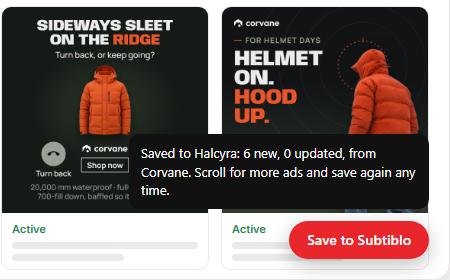
Open a competitor's page in Meta's, TikTok's or LinkedIn's Ad Library, scroll so their ads load, and click Save to Subtiblo at the bottom right. Then in Subtiblo, go to Tools > Niche winners.
If something's not right
- No Save button? Open one advertiser's own page (click their name), then refresh the page.
- "Make a free Subtiblo account"? Click the button it shows, or go to app.subtiblo.com in the same Chrome and type your email. Then save again.
- Chrome asks about developer mode add-ons? That's normal for add-ons added by hand. Keep it on.
- Work computer? Some companies block add-ons. Use your own Chrome.
- Updating it: download the new zip, put its files in the same folder, then click the round arrow on its card at
chrome://extensions. - Still stuck? Email support@subtiblo.com.